

How to send money to other nsave users with an @ntag

Sending money between nsave users has always been fast and free. Now, with @ntags, we also make it easy. This article will cover what @ntags are, how they work, and how you can use them to easily send money to your friends & family.
Enable @ntags
When you first open your app, a sheet will appear that displays your @ntag and gives you the option to be discoverable on nsave. Turn the feature on to enable other users to send you money by using your tag.
To enable receiving money to your @ntag, turn the switch on -> Confirm.

You will also be able to enable or disable being discoverable with your @ntag at any time in the settings of the app. When enabled, other users will see your full name when sending money to you to confirm they are sending to the right recipient.
Note: If you don't enable your @ntag, other users will not be able to send you money via your @ntag and will see the message “No contact with this @ntag exists.” However, they will still be able to send you money using your account details or through your contact if they have sent you money before.
Share your ntag
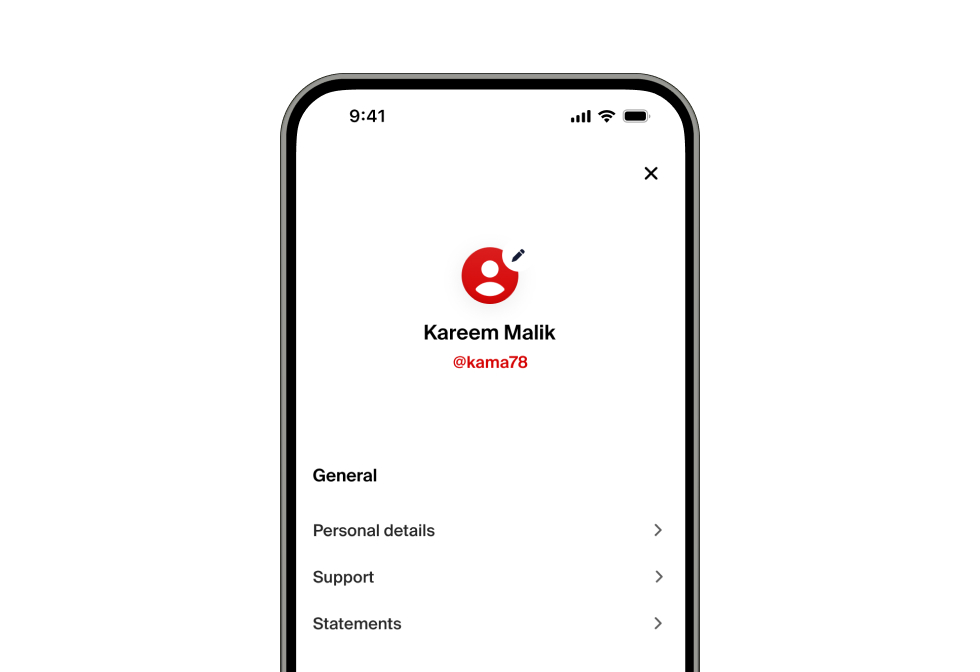
To see your @ntag, go to “Settings.” There you will see your @ntag underneath your name. Simply “long press” “copy” to share your @ntag with your friends.
Send money to an @ntag
To send money to other nsave users, we introduced a simplified flow to send money to another nsave user. (Note: If you already have your recipient in your contacts, you can also simply send to the existing contact as usual.)
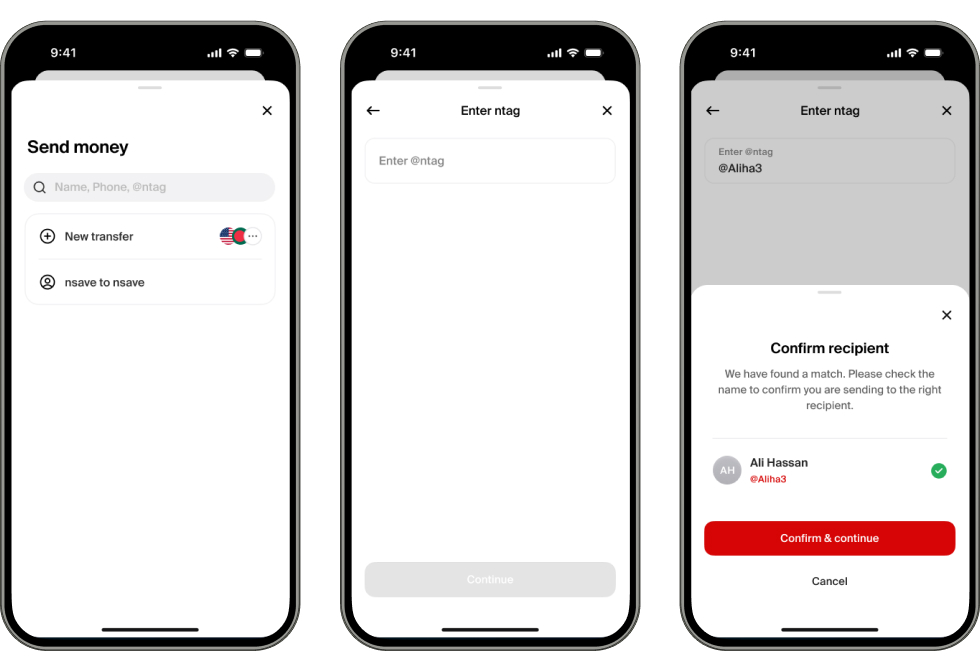
Click on “nsave to nsave” “Enter the recipient’s @ntag” “Confirm the recipient” “Enter the amount you want to send” “Add a transfer reference” “Confirm & Send.”
The entire process is completely straightforward and should take less than 30 seconds to complete. After you send a first transfer to your contact, you will be able to find them in your contacts as usual.
Closing
Sending money to other nsave users is now “Free,” “Instant,” and easier than ever before, and you can be sure we won’t stop there. In the future, we plan to make this feature even more powerful to bring you the best experience possible.
Thanks for being with us on this journey; we are honored to have you!
FAQ
What does it cost to send money to other nsave users? Sending money to nsave contacts is free. Zero fees.
How long does the transfer take? Sending money to other nsave users is instant. Note: For compliance reasons, there might be short delays on rare occasions.
What details do other users see when I enable “Be discoverable”? Other users will be able to see your name when entering your @ntag to confirm they are sending to the right person.
Am I able to change my @ntag? For now, you are not able to change your @ntag, but we are looking into adding this feature at a later time.
