
How to Send Money from Fiverr to Bangladeshi Taka

If you’re a freelancer in Bangladesh working on Fiverr, getting paid in US dollars is great but actually receiving that money in Bangladeshi Taka (BDT) can sometimes be difficult.
Many freelancers face challenges such as high currency conversion fees, slow transfers, and complicated banking processes when withdrawing their Fiverr earnings.
That’s why knowing the right method to transfer your Fiverr earnings to Bangladesh is essential. In this article, you’ll learn how to send money from Fiverr to Bangladeshi Taka (BDT), how to withdraw your earnings safely, and how to manage your USD income before converting it.
Step-by-Step Guide to send Money from Fiver to BDT
Step 1: Create and Verify Your nsave Account
- Download the nsave app on your mobile device.
- Sign up using your email and complete your identity verification with your National ID (NID) or Passport.
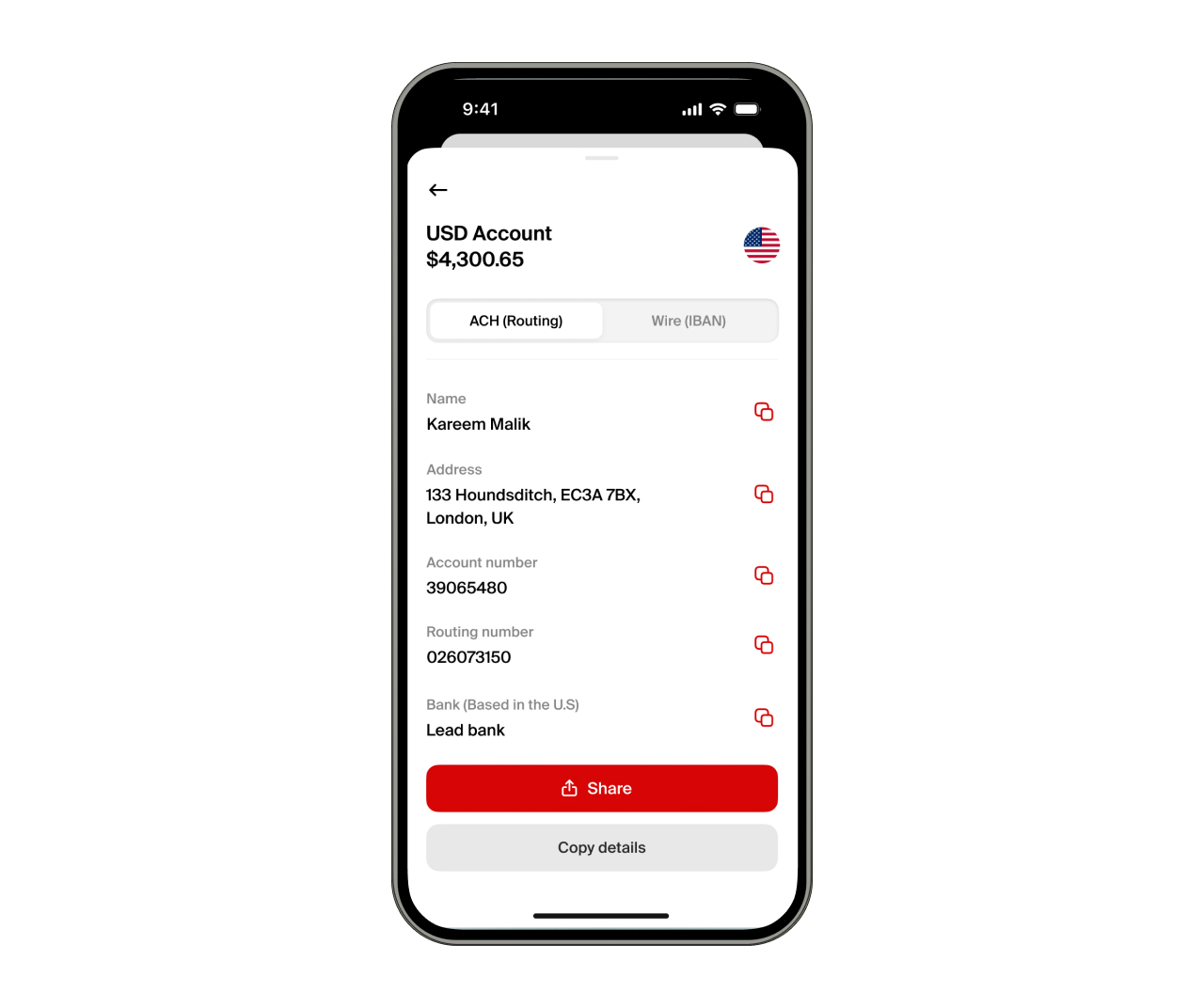
- Once verified, you will receive access to a USD account with routing and account numbers.
Your nsave USD account is fully digital and can receive international payments from platforms such as Fiverr.
Step 2: Link Fiverr to Payoneer
- Log in to your Fiverr account.
- Go to Selling → Earnings → Withdraw → Payoneer.
- Connect your Payoneer account to Fiverr.
Step 3: Withdraw Fiverr Earnings to Payoneer
Once Payoneer is connected:
- Click Withdraw → Payoneer
- Choose the amount you want to withdraw and confirm
Fiverr will then transfer your earnings to your Payoneer USD balance.
Step 4: Transfer from Payoneer to nsave
For more detailed instructions on sending money from Payoneer to nsave, click [Here].
To transfer your funds:
- Log in to your Payoneer account
- Go to Withdraw → To Bank Account
- Enter your nsave USD account details, including:
- Account Name
- Account Number
- Routing Number or SWIFT Code
- Bank Name
- Confirm the transfer.
Step 5: Convert to BDT and Send to Your Bank or bKash
Once the funds arrive in your nsave account:
- Open the nsave app
- Go to Exchange and convert your USD to BDT
- Tap Send Money
- Choose either Bank Transfer or bKash
- Enter the recipient details and confirm the transaction
Funds typically arrive within minutes to a few hours, depending on the transfer method.
Frequently Asked Questions (FAQ)
1. Do I need Payoneer to get Fiverr payments in Bangladesh?
If Fiverr offers direct USD wire transfers in your account, you can send payments directly to your nsave account If that option is not available, use Payoneer first, then transfer to Nsave for better rates, control and BDT conversion.
2. How to Check if You Can Bypass Payoneer?
To check your available withdrawal methods:
- Log in to Fiverr
- Go to Earnings → Withdraw
If Direct to US Bank / Wire Transfer appears, you can link your nsave USD account. If it is not available, Payoneer is currently equired to withdraw funds.
3. What is a low exchange rate and how does nsave help?
A low exchange rate means you receive fewer Bangladeshi Taka when converting your USD.
nsave gives better rates and low fees, letting you hold your earnings in USD first, choosing when to convert to BDT, depending on exchange rate movements.
This can give freelancers more flexibility when managing their international earnings.