
How to Open a USD Account as a Freelancer or Remote Worker in Nigeria

Introduction
This article explains how to open a USD digital account as a Nigerian freelancer so you can receive NGN payments from international clients for free and easily send the money home to your local NGN account for only $1. By the end of this guide, you’ll know step-by-step how to manage USD payments in a simple and transparent way.
Why it matters
If you're a Nigerian freelancer working directly with clients or offering your services on platforms like Freelancers.com, Fiverr, Upwork, Guru or others, you know the struggle. Clients often want to pay you in USD, but without access to a USD digital account, you may not be able to hold it directly. As a result, funds are usually converted to NGN (Nigerian Naira) for rent, groceries, and other expenses, often losing extra money in conversion fees.
Get your free USD Account
The steps below show you how to open a free USD digital account using only your ID, without complicated paperwork or in-person visits. This account allows you to:
- Receive USD ACH transfers for free. ACH transfers are a quick, secure, and cost-free way to receive USD payments from clients or platforms.
- Send money home to a NGN account for only $1. Transfers can be sent to any Nigerian bank account or supported mobile wallets including Opay, PalmPay, or traditional banks. (Check our Local payout guide for Nigeria)
- Spend online in NGN, USD, EUR, or GBP with a multicurrency debit card.
- Access an optional investment feature that allows users to Invest in U.S. stocks, bonds, and ETFs.
Step-by-Step Guide
1. Download the nsave App
Open the App Store or Google Play Store and download the “nsave” app.

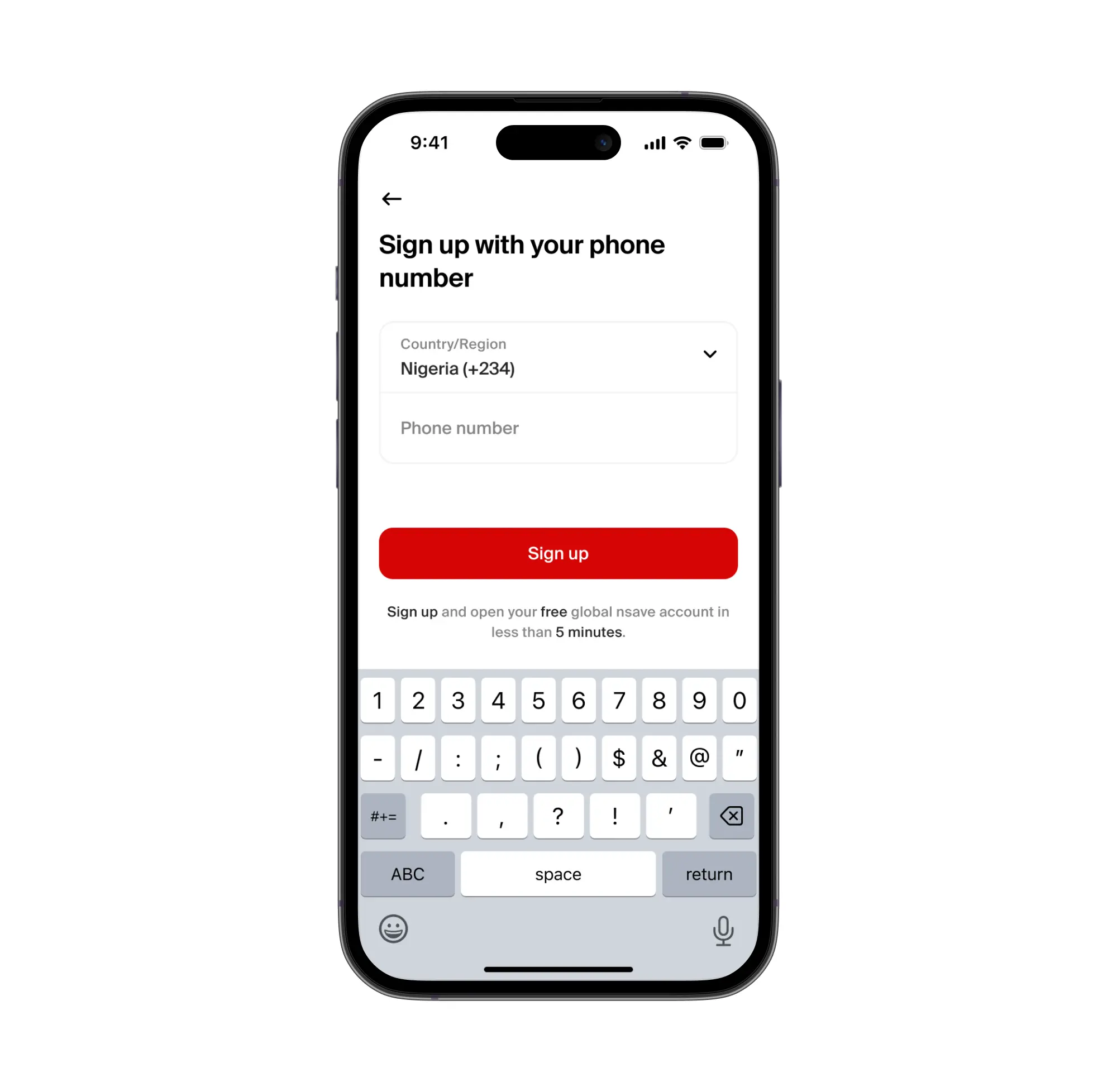
2. Sign Up with Your Phone Number
Create your nsave account using your email address and phone number. The sign-up process typically takes a few minutes.
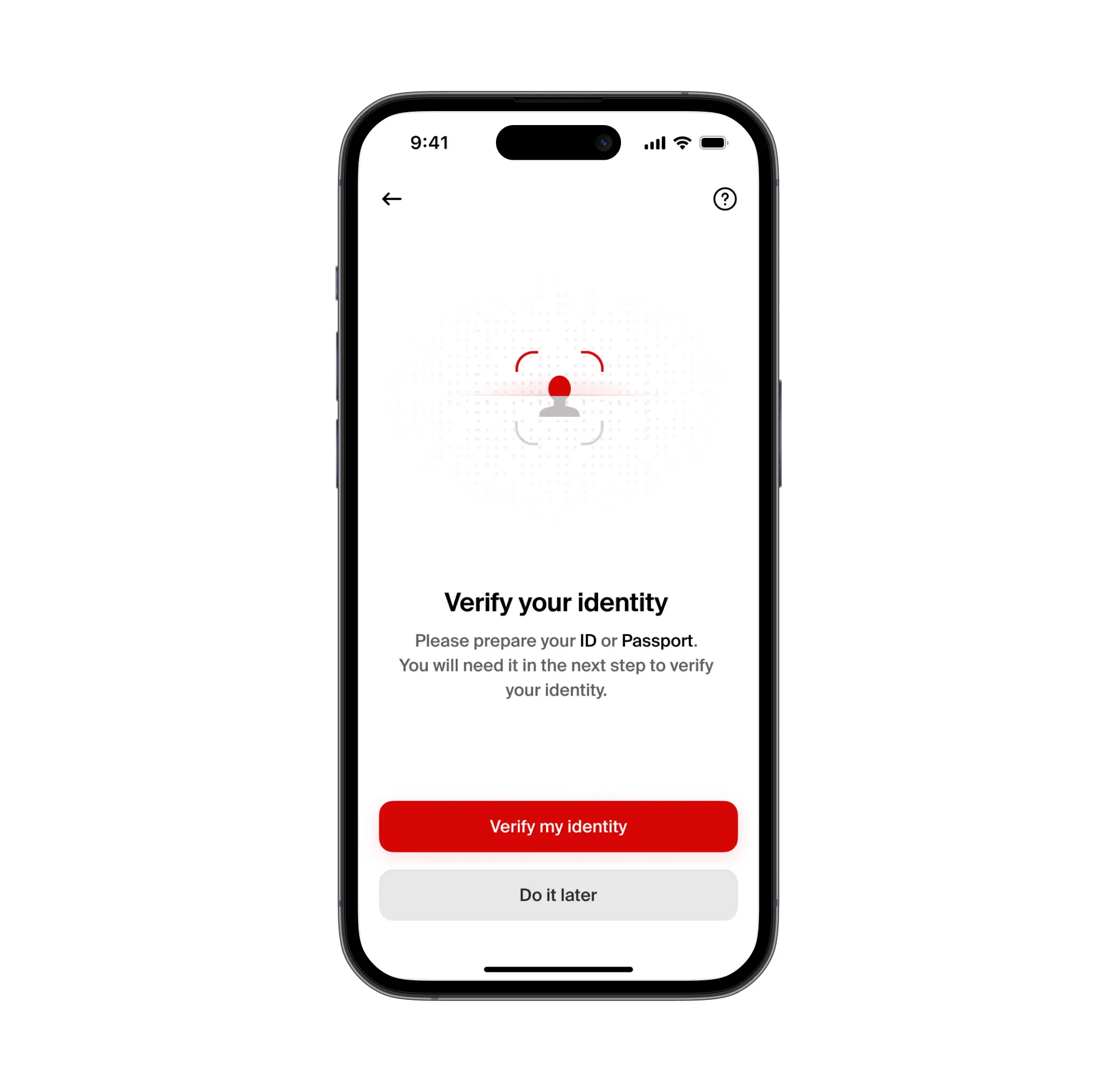
3. Verify Your Identity with Your ID or Passport
Verify your identity using your national ID or passport to activate your USD digital account. This step usually takes less than five minutes.
4. Get Paid in USD
Share your account details with your employer or receive transfers from platforms such as Fiverr or Upwork. For the most common freelancer platforms, we’ve created separate step-by-step payment guides to help you receive USD payments smoothly. You can find them [here].
By opening a verified USD account with nsave, freelancers from Nigeria can receive USD payments, send money home to their NGN account for only $1, and manage international payments securely and efficiently using a single digital platform.
Frequently Asked Questions (FAQ)
1. Can freelancers receive USD payments directly from clients?
Yes. With a verified USD account, freelancers can receive USD payments directly from clients or platforms through ACH transfers. nsave does not charge a fee for receiving ACH payments.
2. What documents do I need to open a USD account?
A valid ID or passport is required to verify your identity and activate your account.
3. How long does it take to open the account?
The entire process takes under 10 minutes, about three minutes to sign up and five minutes for ID verification.
4. How can I send money to my local NGN account?
Once USD is received, funds can be converted and sent to your local NGN account or supported mobile wallet for only $1.
5. Can I use the account for online spending & subscriptions or investing?
Yes. You can use the multicurrency debit card to spend online in NGN, USD, EUR, or GBP, and even invest in U.S. stocks, bonds, and ETFs without any fees.